Registering A Hash
Once you have your Metamask Wallet set up with some ETH, you are ready to use HashRepos to register a hash of your file.
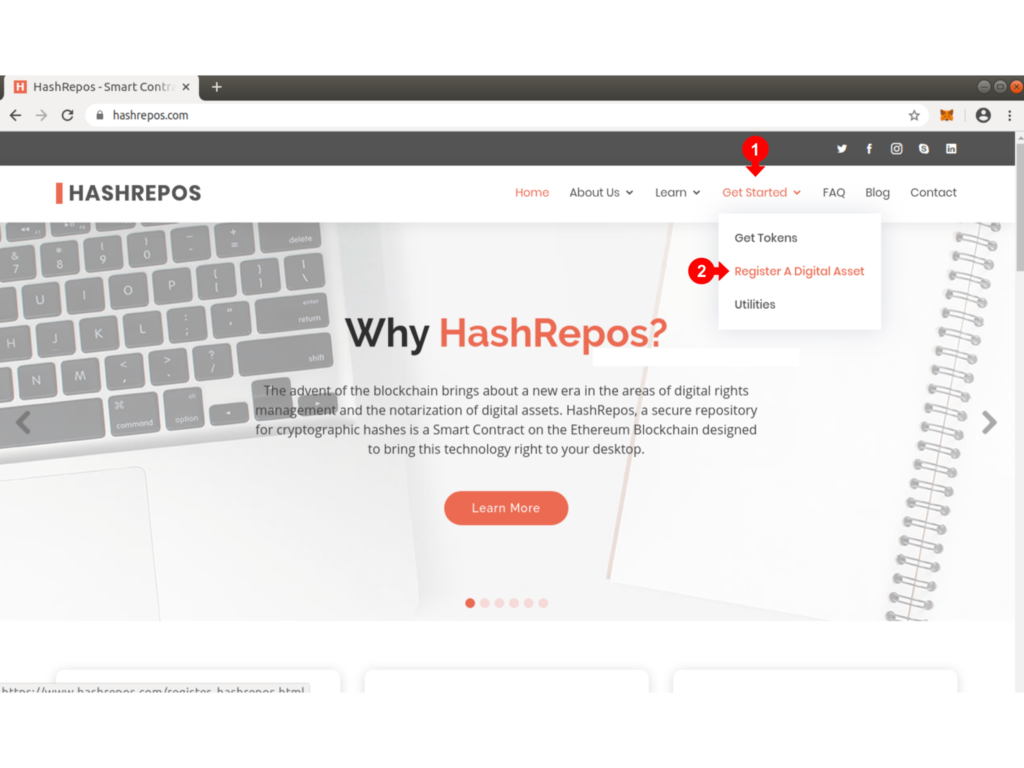
Under the Get Started in the Top Menu, select Register A Digital Asset (1) from the drop down.
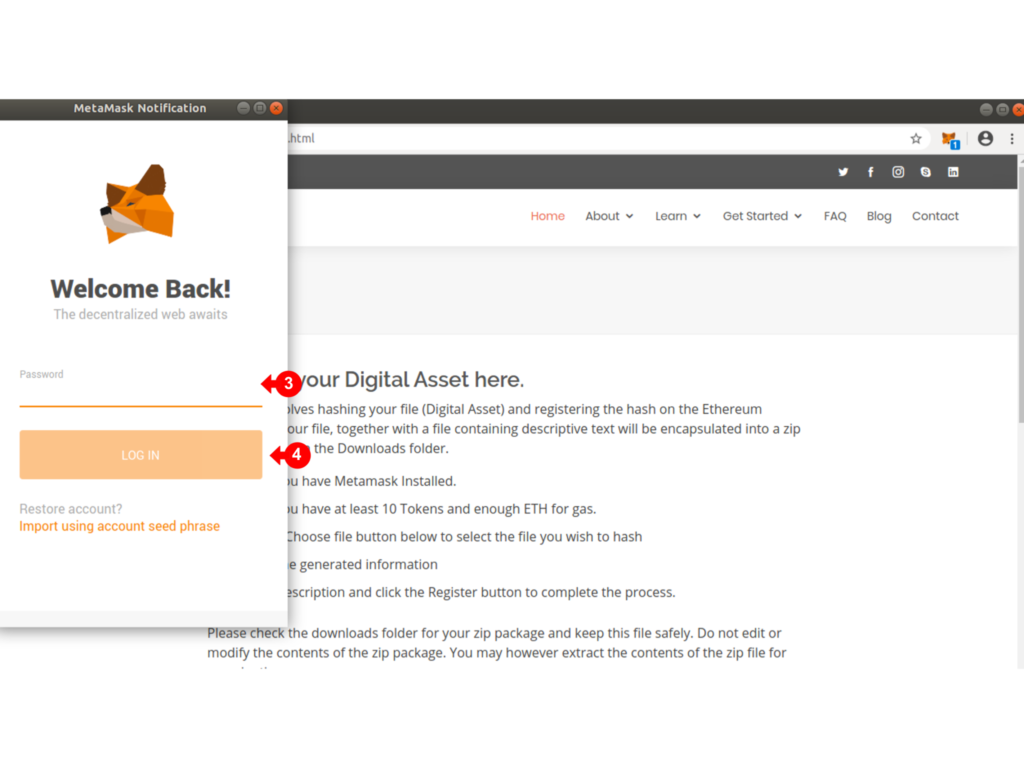
The Metamask Connection Alert pops up for you to logon to your Metamask Wallet.
Enter your WALLET PASSWORD (3) and click on log in (2)
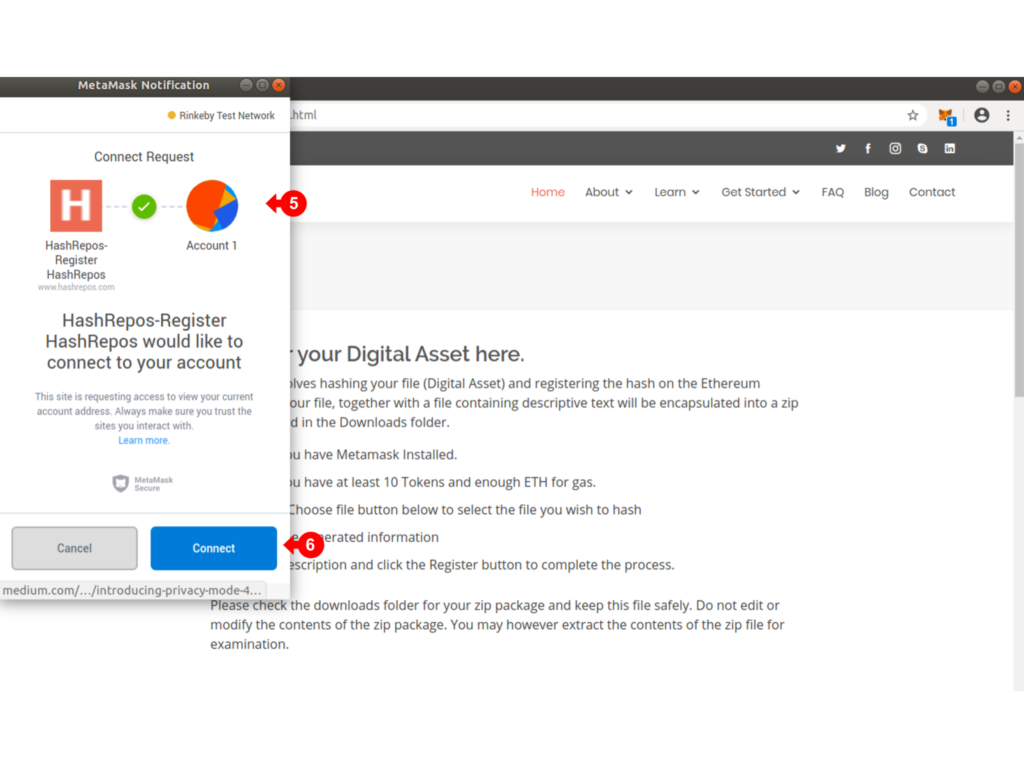
You will be asked to confirm the Metamask connection to your Wallet Account (5). Click on Connect (6) to continue.
Once connected, click on the Metamask Fox icon (7) to bring up the wallet details. Make sure the Rinkeby Test Network is selected in (8), and the Account shown in (9) is the account you wish to use to register the Hash. This account will be recorded as the owner of the HashRepos registry item.
Read the notes on the screen and scroll down so that the form below (11) is visible.
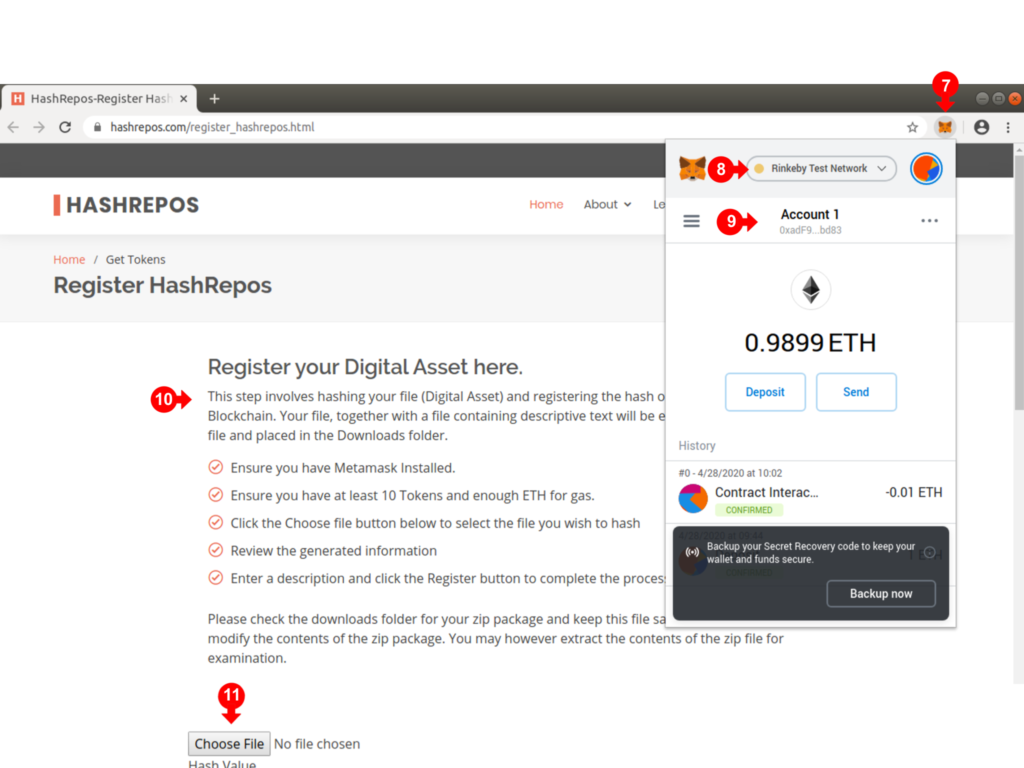
Click on Choose File (12) to select your file to be hashed.
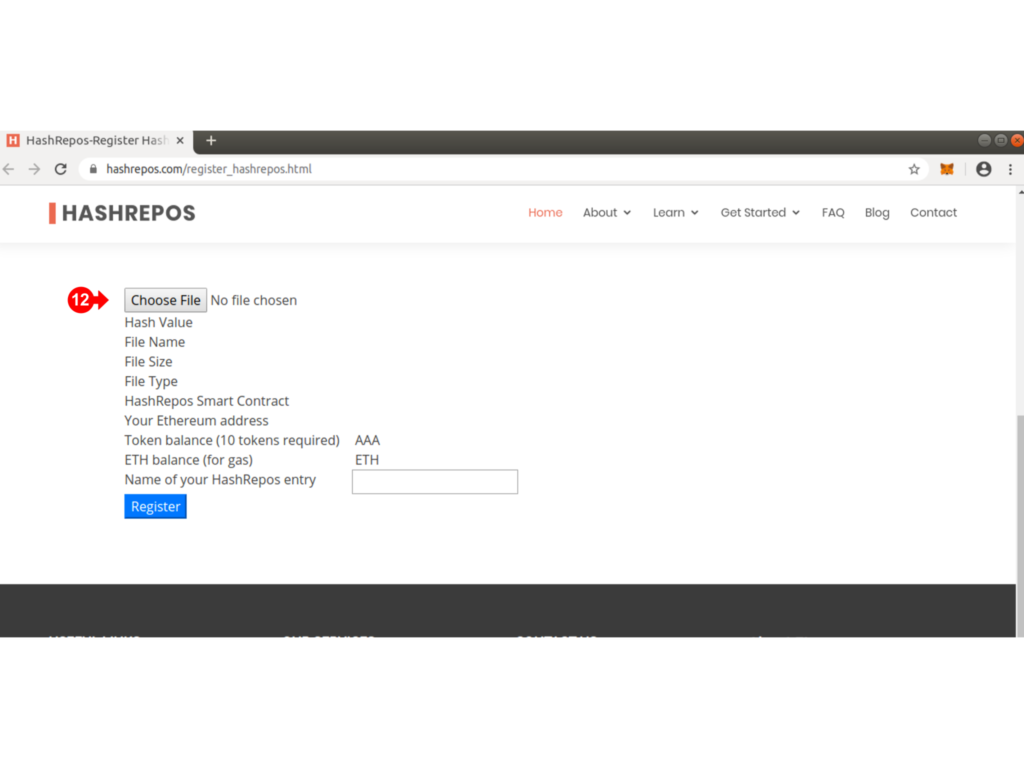
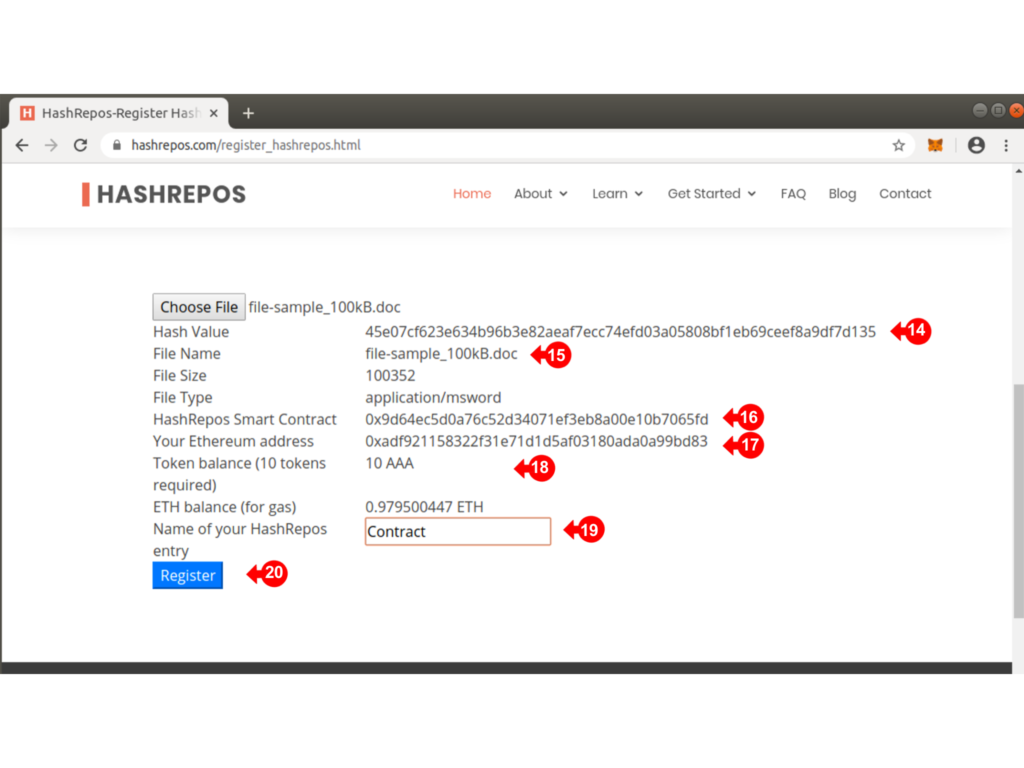
After selecting the file, the form will automatically be filled.
Review the generated Hash (14) and check the File Name (15) and details
The HashRepos Smart Contract address (16) is listed for reference, as well as your Ethereum Address (17) which should be the same as the active Metamask Address.
Check that you have enough ETH (19) for the transaction fee (GAS).
Type in a description of your hash file in (19) and click on the Register Button (20) when ready.
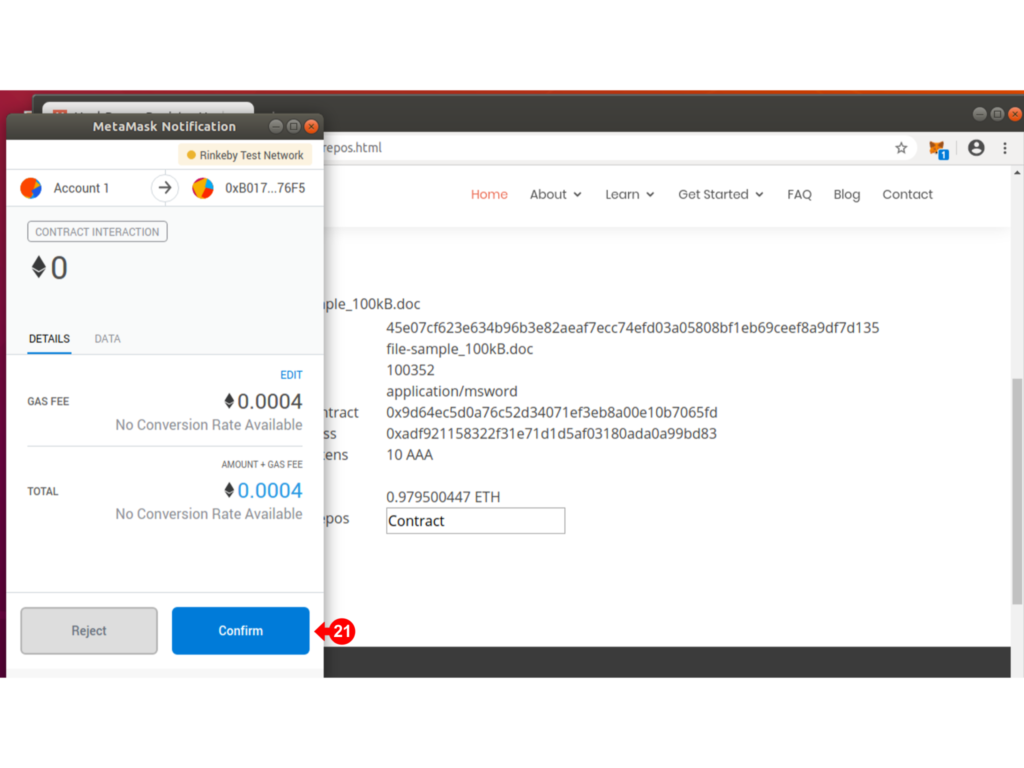
The Metamask Notification will pop up for you to confirm the transaction (21).
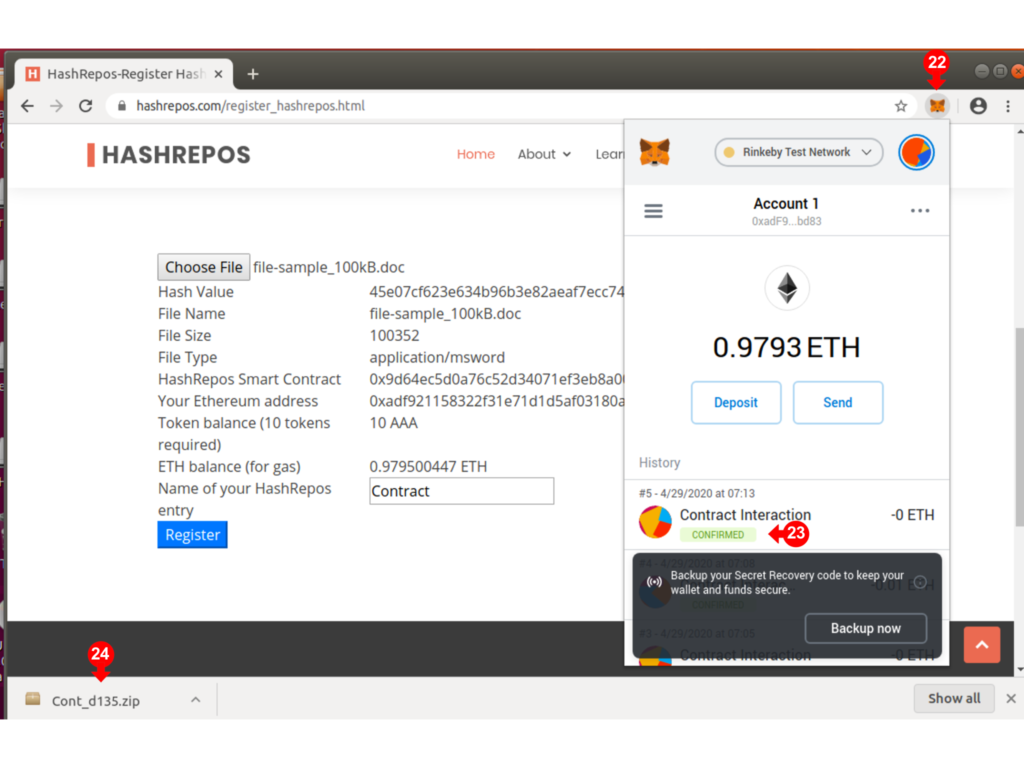
Click on the Metamask Fox icon (7) to bring up the wallet details and check on the progress (23).
Note that a zip file (24) will be placed in the Downloads folder. The name of the zip file will be the first 4 characters of your file description combined with the last 4 characters of the hash. You should keep this package securely as it will also preserve a copy of your file.
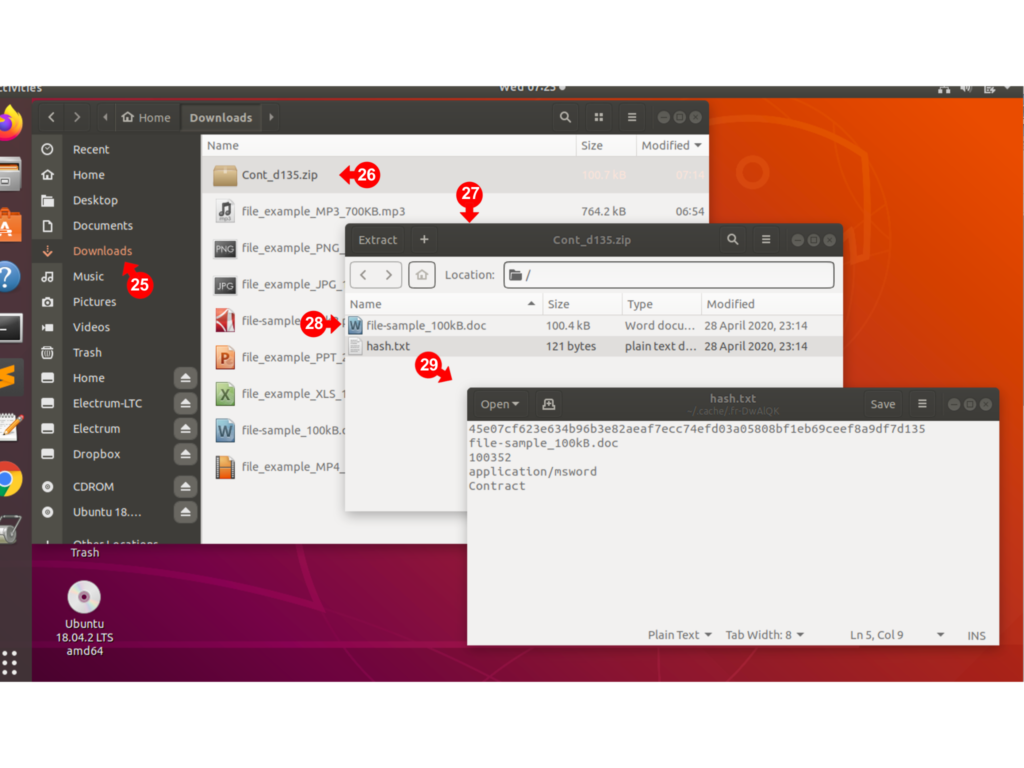
To retrieve and examine the Zip File, go to the Downloads folder (25) of your computer and locate the file (26). Double click on the file to examine the contents (27).
Note that a copy of the original file is included (28) as well as a text file which contains a description (29).
You can verify that your hash is on the blockchain using the Utilities described in the next section.